Appearance
OpenAero Integration
📢 - INFO
This page explains how to bring OpenAero sequences into ACROWRX — either by pasting an OLAN string (recommended) or by uploading exported files.
ACROWRX needs a sequence (.seq) and per-figure diagrams so Form A, figure markers, and scoring can work. You can create that package two ways.
Recommended: Paste OLAN in ACROWRX
You no longer need to download a .seq and a figures ZIP from OpenAero for most uploads. Design the sequence in OpenAero, copy the OLAN string, and let ACROWRX generate the sequence file and figure diagrams in the browser (using an embedded OpenAero engine).
Where to use it
Use Paste OLAN when you:
- Add or replace a sequence on your Personal page (Sequences table)
- Upload a new sequence while uploading a flight (Analysis → Upload, or Contest free-program upload)
- Add a sequence as a Contest manager
- Send a team assignment as a coach (Assign a flight → OLAN (OpenAero))
In those dialogs, choose Paste OLAN (instead of Upload files).
Get the OLAN string from OpenAero
- Open your sequence in OpenAero.
- Copy the OLAN / sequence text for the program (the same code you would paste into OpenAero’s sequence editor — available from contest pages in ACROWRX with the copy OLAN button, or from OpenAero’s sequence text field / export).
- In ACROWRX, paste it into the OLAN sequence box.
- Enter a sequence name, then click Generate figures from OLAN.
- Wait for generation to finish (K value and figure count update when ready), then continue with Upload / Save as usual.
💡 - TIP
Figure diagrams and the .seq are created for you after Generate figures from OLAN. You do not need to set category or program in ACROWRX for this step — the OLAN itself defines the figures.
⚠️ - WARNING
If you are replacing a contest sequence that already has a fixed figure count, the OLAN must produce exactly that many figures or ACROWRX will reject it.
Alternative: Upload OpenAero files
If you prefer the classic export workflow (or need files for another tool), you can still upload a .seq plus a figures ZIP.
OpenAero export settings
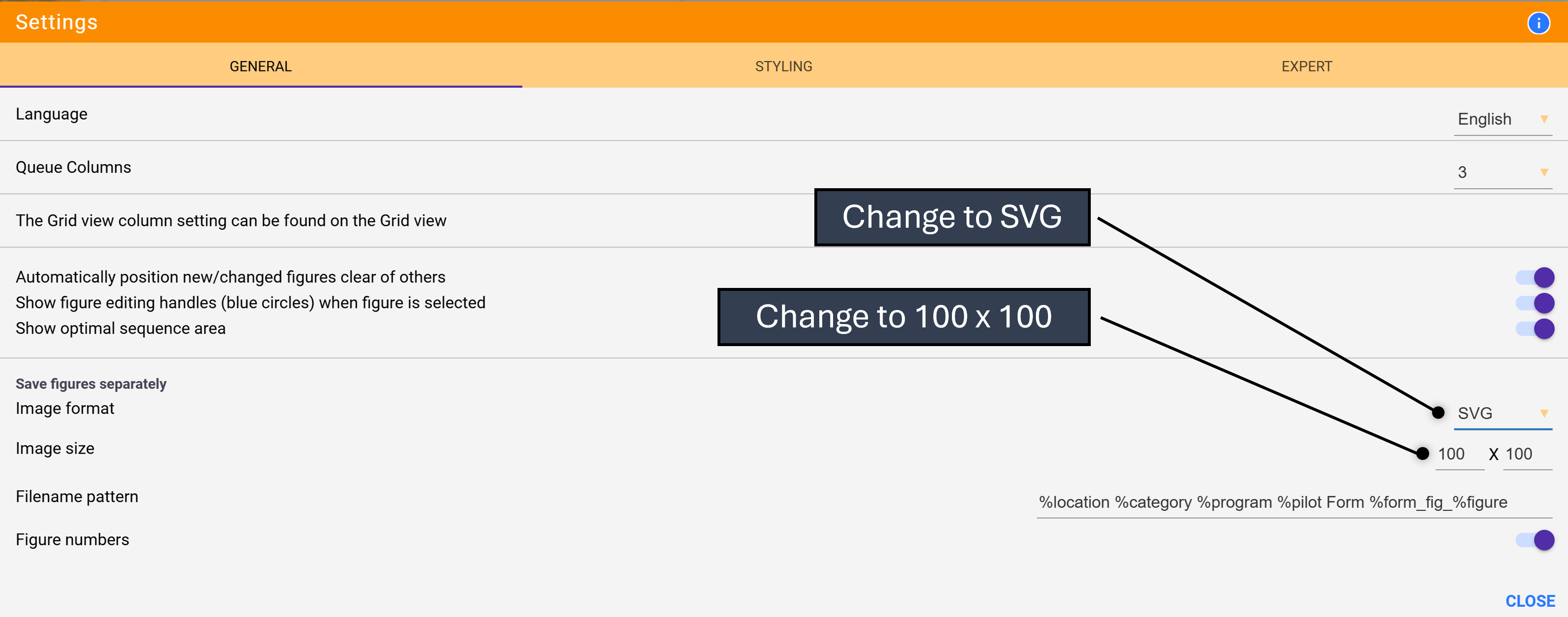
Before saving figure images in OpenAero, change Tools → Settings → General → Save Figures Separately as shown here for better figure images:
Download the files
You need:
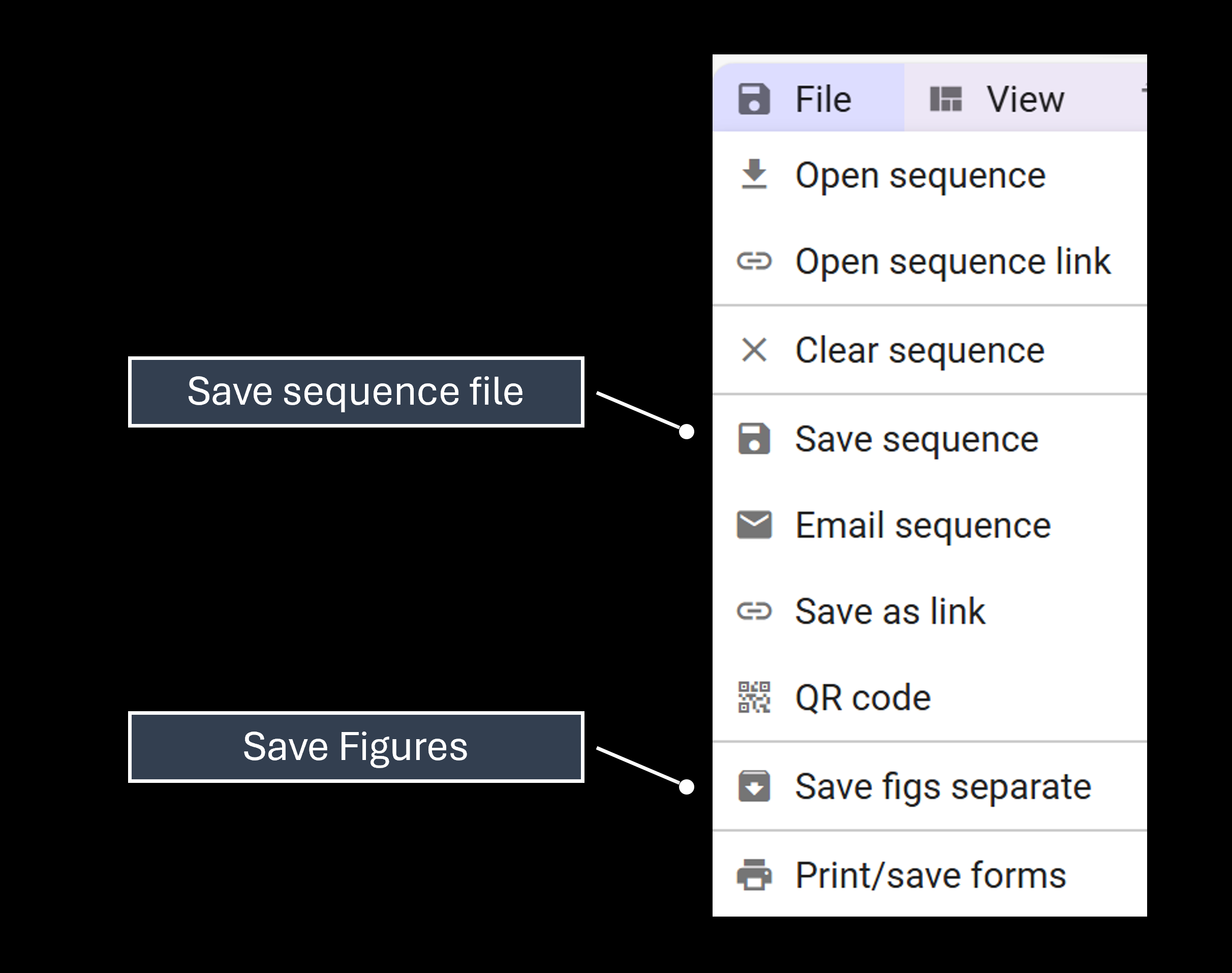
- The sequence file (
.seq) - The figures package (ZIP of separate figure images)
Use OpenAero’s File menu to save them:
Then in ACROWRX choose Upload files, pick the .seq and the ZIP, and upload.
Opening assignments and contest programs in OpenAero
When a coach sends a team assignment written in OLAN, pilots can open it in OpenAero straight from the Assignments tab of the Teams page. Contest programs have the same button: in your flights table on the Contest page, and on the program cards in the Contest Manager. ACROWRX opens its built-in copy of OpenAero in a new tab with the sequence already loaded, ready to view, edit or print with OpenAero's tools. The same tab also prints or downloads the sequence card (Form B), drawn by OpenAero.
Attribution
Figure diagrams generated via Paste OLAN, sequence cards for team assignments, and the Open in OpenAero link use OpenAero (GPL-3.0), embedded in ACROWRX.